If you are looking for the best undertale fighting game roblox combat route, use a repeatable loop instead of chasing a fixed tier list: clear regular enemies, learn one or two skills, protect your stamina, then retry a boss while changing one decision at a time. The boss fight guide applies this loop to preparation and retries. Undertale Fight does not currently document a complete combat interface, universal keybind chart, or reliable damage formula, so the current in-game prompts should take priority over old fight screenshots, animations, or simulator guides.
The safest combat loop
Combat connects your current Stage, target, character, skills, stamina, and progression. Treat each encounter as a decision rather than a damage race:
- Enter the Stage and identify the target. Regular enemies are the best place to learn positioning and timing; a complete enemy roster is not documented.
- Use a skill that matches the situation. Bone Throw and Gaster Blaster are attack options, while Fast Travel is primarily movement. Telekinesis is a control or combo option on supported Sans versions.
- Create space after using a move. Some skills depend on a clicked location, target position, or a cooldown. The evidence does not establish universal range or timing values.
- Watch stamina before committing again. A low bar can make Sans skills recover faster through Pressure, but it also leaves less room for mistakes.
- If the boss wins, repeat the encounter with one change. Try a different opening, safer movement, or a longer pause between skills rather than assuming the exact same sequence will work.
This is the practical difference between ordinary fighting-game practice and a boss attempt: regular enemies teach the controls, while a boss tests whether you can preserve resources and recognize its attack space.
What to use in a fight
The following is a decision table, not a complete moveset or a ranking. It keeps the known role of each option separate from values that are not reliably published.
Combat options and when to use them
| Option | Purpose | Use it when | Known cost or limit |
|---|---|---|---|
| Bone Throw | Direct attack | You have a target position and want a single bone or a barrage | Genocide Run Sans records 4 stamina for its BoneThrow version; other values are not documented |
| Gaster Blaster | Targeted attack | You can place the attack where the opponent is or expect a tracked target | Types include clicked, circular, and seeking forms; damage and cooldown are not confirmed |
| Fast Travel | Movement or shortcut | You need to reposition or take a route around danger | Some versions restrict attacking during use; exact version rules are not confirmed |
| Telekinesis | Control or combo | You can safely target an opponent and need a displacement tool | Character and version limits are not fully documented |
| Pressure | Cooldown passive | You are playing Sans at The Judge or the recorded third upgrade | Lower stamina shortens cooldowns but increases defeat risk |
| Hotdog Cart | Healing support | Your team or a KOBK player needs a consumable between exchanges | Sans Upgrade 2; buying gives the Sans user G, while the buyer can eat the hotdog to heal |
Do not convert the table into a made-up undertale fight button guide. The available records do not verify universal buttons, button colors, menu fonts, or a fixed undertale fight act item mercy interface for this Roblox experience. Those terms describe other Undertale-inspired interfaces and should not be treated as confirmed controls here.
Stamina and Sans upgrades
Sans is recorded as a Rank 3 character with a base value of 80 stamina, with the first upgrade described as increasing it to 100 and The Judge described as adding 50 stamina. The upgrade record also associates Sans with Hotdog Cart support and the Pressure passive. These are character-record values, not a promise that every mode or variant exposes the same balance.
Pressure creates a risk-and-reward choice: lower stamina can shorten move cooldowns, but a smaller reserve makes incoming damage more dangerous. Use the passive to finish a controlled exchange, not as a reason to drain the bar at the start of every boss fight. If Bone Throw consumes stamina in the version you are using, leave enough reserve to reposition rather than spending every point on attacks.
Hotdog Cart is a different kind of combat value. It stops Sans's movement while it spawns, and a purchased hotdog enters the buyer's inventory for later healing. That makes it useful for team support, but it is not a replacement for avoiding attacks; buying and eating rules may depend on the current interaction flow.
Boss attempts and difficulty
Bosses are progression gates rather than ordinary targets. The evidence supports a repeat-attempt strategy, but not a complete hardest Undertale fights ranked list. It also does not establish which fight is definitively hardest, a universal boss order, or exact rewards. Treat claims about Sans, Asgore, Asriel, Flowey, Papyrus, Toriel, Undyne, Gaster, or Omega Flowey as separate encounters unless the current game identifies them directly.
Use this boss checklist:
- Practice the route first. Clear nearby regular enemies and learn where you can safely stand.
- Choose one opening. Start with a reliable attack or movement tool rather than a full combo you have not tested.
- Read the exchange. Note whether the boss punishes staying close, clicking a location, or spending stamina too quickly.
- Keep one recovery option. Fast Travel can provide movement, while Hotdog Cart may support healing outside an active exchange when available.
- Change one variable on the next attempt. A useful retry tests positioning, timing, or resource use separately.
The videos associated with this combat topic show players returning to try a boss again and describing a later attempt as easier. That supports persistence as a useful method, not a guaranteed shortcut or a precise boss solution. Treat an undertale fight video, undertale fight tips, undertale fight training, or undertale fight web result as supplementary material unless it matches the current game.
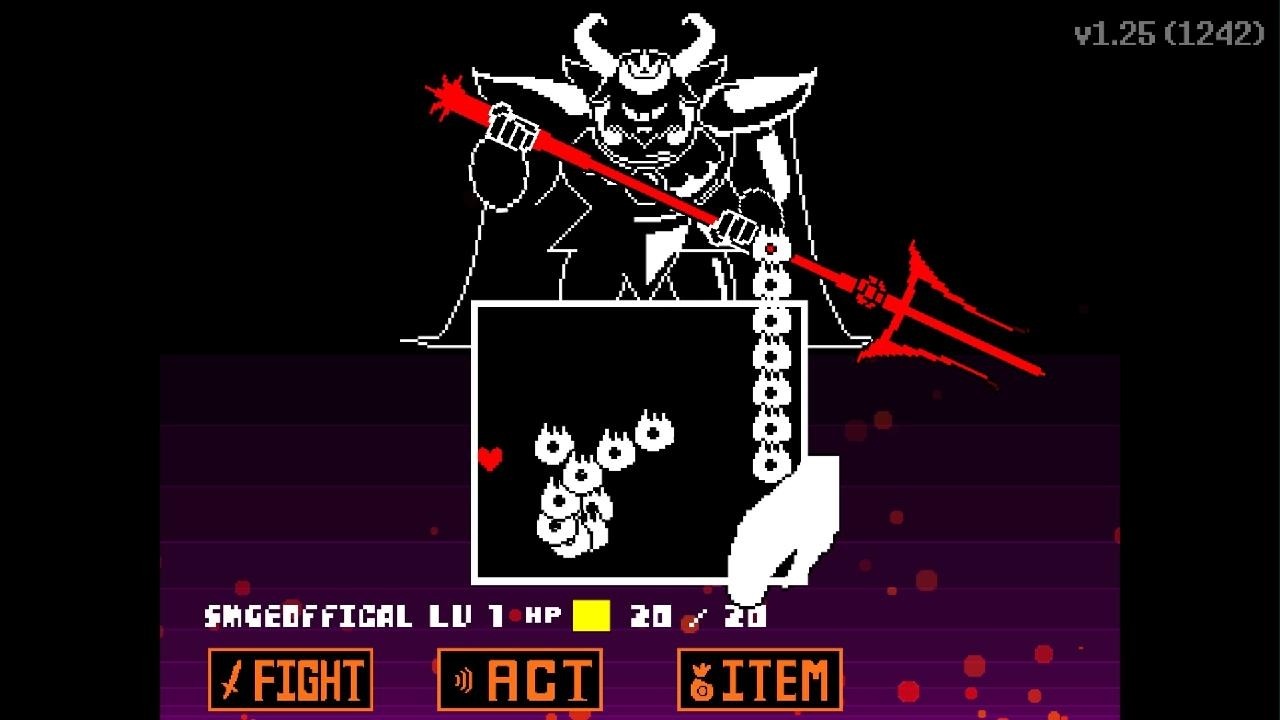
Retry a boss fight with a changed approach
This moment supports the boss checklist's repeat-attempt strategy by showing a return to the beginning for another try described as easier.
What is not confirmed
Several searches around Undertale fight games point toward creators, browser simulators, Scratch projects, sprites, GIFs, and Roblox fighting-game lists. They may be useful for inspiration, but they do not establish mechanics in Undertale Fight. Searches for an undertale fight arena, undertale fight map, undertale fight zone, undertale fight background, undertale fight background gif, undertale fight bg, undertale fight gif, undertale fight png, undertale fight icon, undertale fight eye, undertale fight chara, undertale fight glyde, undertale fight dummy, undertale fight scene, undertale fight song, or undertale fight music likewise point to fan assets or unrelated results, not verified Roblox combat data. The same caution applies to an undertale fight creator, undertale fight generator, undertale fight maker online free, undertale fight screen, undertale fight screen generator, undertale fight screen template, undertale fight template, undertale fight gui, undertale fight minigame, undertale fight randomizer, undertale fight mods, undertale fight any boss mod, undertale fight sims, or an undertale fight website. Searches for undertale fight choices, undertale fight meter, undertale fight sound effect, undertale fight start sound effect, undertale fight theme, or an undertale fight thing do not verify controls or combat values either. Do not infer the following from a screenshot or fan-made undertale fight animation maker:
- exact Fight, Act, Item, and Mercy buttons or their color and position;
- a complete combat UI, attack bar, fight box, or mobile layout;
- a universal keybind, damage value, cooldown, stamina regeneration rate, or boss timer;
- a complete undertale fighting game roblox roster, tier list, or fights-in-order ranking;
- unlock requirements for Genocide Run Sans or a guaranteed boss reward.
The Game Mechanics, Gamemodes, Items, and Maps records are unfinished. For that reason, use the live game interface for controls and requirements, and use the route above for decisions that remain valid even when exact numbers change.
FAQ
What is the best way to start a fight in Undertale Fight?
Start with regular enemies in the current Stage, learn how target position and cooldowns feel, and only then attempt a boss. Exact controls and damage values are not documented consistently, so follow the current in-game prompts.
Is Sans a good combat character?
Sans has a broad toolkit including Bone Throw, Gaster Blaster, Fast Travel, Telekinesis, and the Pressure passive. The available character record marks Sans as Rank 3 and leaves some upgrade and balance details incomplete.
Which Undertale Fight boss is the hardest?
A complete hardest-fights ranking is not supported. The evidence only establishes that bosses are higher-difficulty progression points and that low-level attempts can be difficult.
SourcesReviewed October 25, 2026
https://undertale-fight.fandom.com/wiki/Sans
https://undertale-fight.fandom.com/wiki/Genocide_Run_Sans
https://undertale-fight.fandom.com/wiki/Game_Mechanics
https://www.youtube.com/watch?v=FjAj05P76JQ
The character pages provide the Sans abilities, upgrade descriptions, stamina notes, and the incomplete Genocide Run Sans move records. The Game Mechanics page is unfinished, so it does not support a complete control or formula reference. The cited gameplay coverage supports repeated boss attempts and difficulty observations, but not independent testing, exact rewards, universal keybinds, or a complete ranking. Values and interactions may vary by character version or update; the live game interface is decisive for controls and requirements.